Introduction
For photographers, digital artists, and meme connoisseurs alike, image quality is paramount. Telegram is widely praised for its generous file size limits, allowing users to share massive documents and media files. However, when it comes to standard photo sharing, Telegram employs aggressive compression algorithms. If you are looking for a telegram high quality photo, you need to understand how the platform processes images and how to use a telegram photo downloader to your advantage. This article explores the mechanics of Telegram compression and how a telegram image downloader can help you preserve every pixel.
Understanding Telegram’s Image Compression
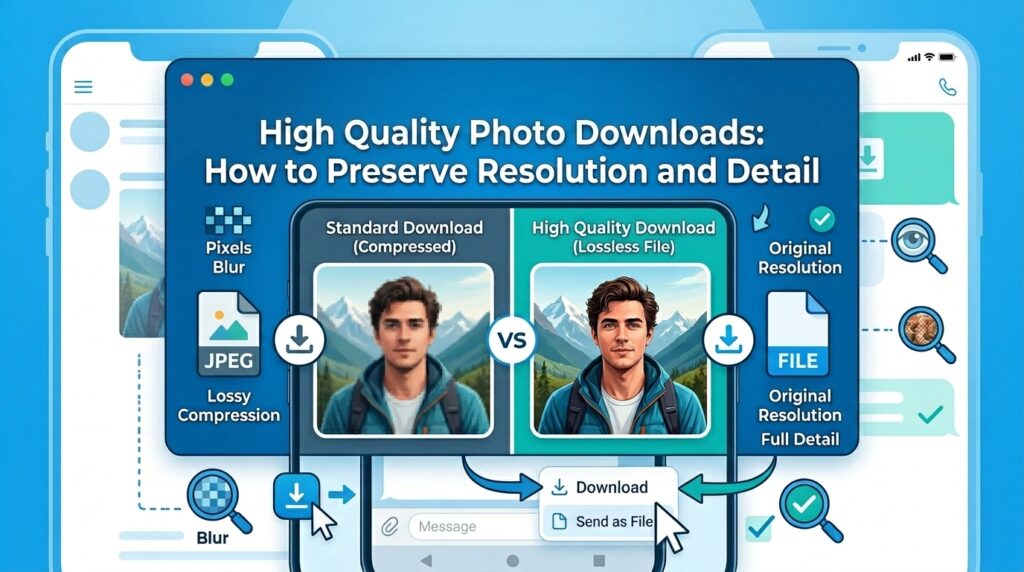
When a user uploads a photo using the standard gallery attachment, Telegram automatically resizes the image (usually capping the longest edge at 1280 or 2560 pixels) and compresses the JPEG quality. This is done to ensure fast delivery and reduce server load.
If you simply tap “Save to Gallery,” you are downloading this compressed version. For casual viewing, this is fine. But if you need the image for a presentation, a design project, or printing, this standard telegram photo download method falls short.
The “Send as File” Secret
The only way to share a true, uncompressed telegram high quality photo is for the sender to use the “Send as File” option. This bypasses the image processing engine entirely, treating the photo as a raw data document.
Extracting Quality with a Telegram Picture Downloader
When you are on the receiving end, or when you are browsing public channels, you cannot control how the image was uploaded. However, you can control how you download it. Using a native app to save telegram pictures can sometimes result in saving a lower-resolution cached thumbnail if the full image hasn’t loaded properly.
To ensure you are getting the absolute best version available on the server, you should use a telegram image downloader online. A dedicated telegram pic downloader interacts directly with the Telegram API or web interface to fetch the source media file.
💾 Want to save photos without cluttering your Telegram cache?
Use TG Image Downloader to extract specific images directly to your device’s download folder. Keep your phone storage clean and your images crisp.
👉 Extract Your First Image Here
Why Use a Telegram Channel Image Extractor?
Public channels are hubs for high-resolution wallpapers and photography. A telegram channel image extractor is specifically designed to parse public post links and retrieve the media payload.
By performing a telegram photo download by link, you eliminate the middleman (your phone’s cache). The telegram media downloader online requests the file directly, providing you with a clean, unadulterated telegram image download.
Features of a Good Free Telegram Downloader
When looking for a tool to download telegram images, ensure it has the following features:
- No Downscaling: The telegram photo saver should not apply any of its own compression.
- Fast Processing: A good telegram public link downloader should resolve the link in seconds.
- Format Preservation: It should maintain the original format, whether it’s a JPG, PNG, or WEBP.
How to Download Telegram Profile Picture in High Quality
Another common request is how to download telegram profile picture files. While the app allows you to view profile pictures, saving them in high resolution isn’t always intuitive. Some advanced telegram picture downloader tools and bots allow you to input a username and extract the profile picture in its maximum uploaded resolution, which is highly useful for updating contact lists or verifying identities.
Conclusion
Settling for pixelated, compressed images is a thing of the past. By understanding how Telegram handles media and utilizing a robust telegram photo downloader, you can take control of your digital archives. Whether you are using a free telegram downloader to grab wallpapers or a telegram public link downloader for research, always prioritize tools that guarantee a telegram high quality photo extraction.